Apple Watch - Turn Cellular On / Off
Here's how to turn cellular on or off on your Apple Watch.
- The steps below apply to the Apple Watch® Series 3 and newer models.
- Apple Watch uses the best connection available (e.g., Bluetooth® to your iPhone®, Wi-Fi, or Cellular).
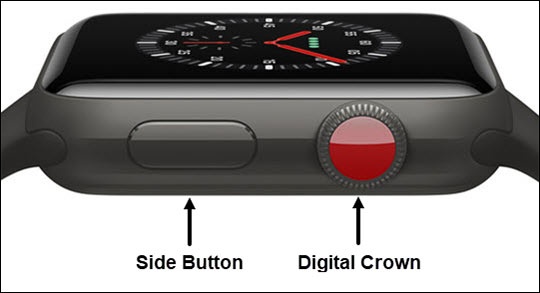
- From the Watch face screen, press theSide Buttonto open the Control Center.If unavailable, swipe up from the bottom of the Watch face to open the Control Center.
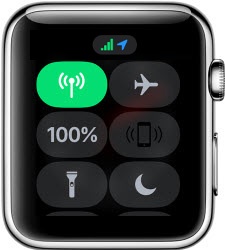
- Tap theCellular icon.The cellular icon is green in color and the signal strength is displayed when there is an active cellular connection.