Apple Watch - View SIM Card Number
Here's how to view the SIM card number on your Apple Watch if needed during activation or troubleshooting.
If you need to view the SIM card number during activation or troubleshooting, view this info.
- The steps below apply to the Apple Watch® Series 3 and newer models.
- The Apple Watch comes with a SIM embedded in the device so you can't take a card out to view the number (ICCID).
From the Watch
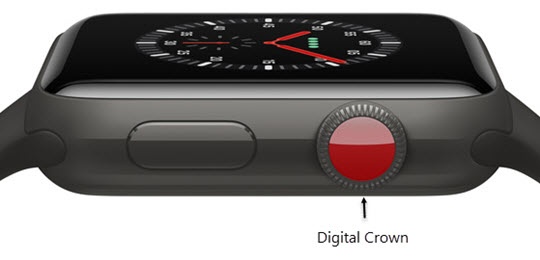
- Press theDigital Crownon your watch to see your apps.
- Tap theSettings icon.
- TapGeneral.
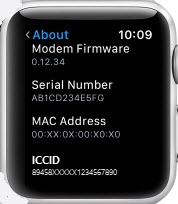
- TapAboutthen scroll down.The SIM card number appears in the ICCID field.

From the iPhone
- From your iPhone®, open theWatch app.
- Tap theMy Watch tab(lower-left) then tapGeneral.
- TapAbout.The SIM card number appears in the ICCID field.
