Session status messages
Session Status

Due to inactivity, your session will end in approximately 2 minutes. Extend your session by clicking OK below.

Due to inactivity, your session has expired. Please sign in again to continue.

Apple Watch - Charge the Device

2026-10-22 17:08:16.055

Apple Watch - Charge the Device

Here's how to charge your Apple Watch.
The steps below apply to the Apple Watch® Series 3 and newer models.
  1. Plug the charging dock into the USB adapter.
  2. Plug the adapter into a power outlet.
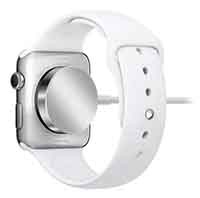
  3. Position the back of your Apple Watch on the charger.
    While charging, the watch displays a Charging icon Charging icon.
    Watch charging