One Talk Portal - Create Virtual On-Net Extensions
Here's how to create virtual extensions for your business lines via the One Talk portal.
Refer to the One Talk admin portal simulator for interactive demonstrations.
- Sign in to My Business.
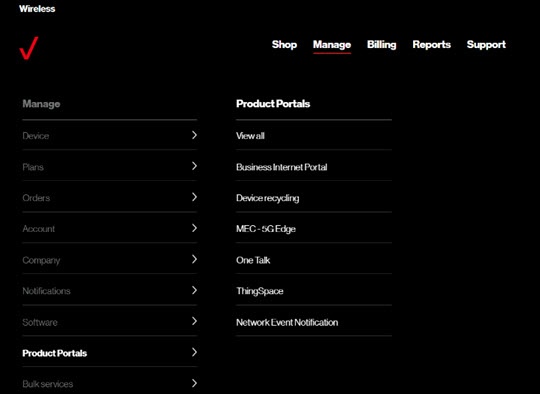
- ClickManage(top of screen).
- Mouse overProduct Portalsthen clickOne Talk.If necessary, clickView all.
- From the 'I want to' section, clickManage features.
- From the Business Features tab, clickVirtual On-Net Extensions.
- ClickAdd a line(upper-right).
- Enter the phone number, username and virtual extension then clickSubmit.Virtual extensions can also be added in bulk using a template.