Apple Watch - View Signal Strength
Here's how to view the cellular signal strength on your Apple Watch.
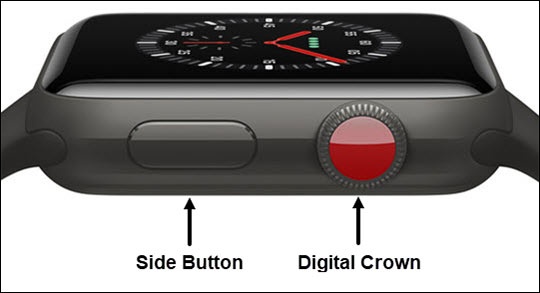
- From the Watch face screen, tap theSide Buttonto access the Control Center.If unavailable, from the Watch face screen, swipe up to access the Control Center.
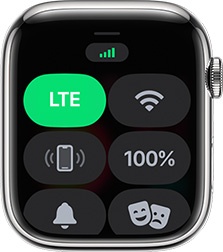
- Verify that you have an active cellular connection (i.e., the LTE icon is highlighted in green).The image below shows signal strength indicated by the bars in the upper-left and only appears if your watch is connected to a cellular network.If your watch is paired with an iPhone®, a green phone will display in the upper-left.