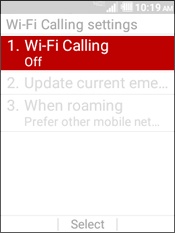
Kyocera DuraXV LTE - Turn Wi-Fi Calling On / Off
When turned on, Wi-Fi Calling may improve indoor call quality for your DuraXV LTE.
When turned on, Wi-Fi Calling may improve call quality while indoors.
- For Wi-Fi Calling to work, verify Wi-Fi is turned on and connected.
- Wi-Fi calls always originate in the US, even when you're outside of the US.
- Calls to US numbers are not billed (except for 411 or other premium calls).
- Calls to international numbers are billed according to your international long distance plan.
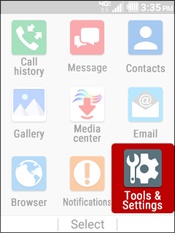
- From the main screen, selectMenu.Utilize the 5-way navigation pad to highlight and the center button to select.
- SelectTools & Settings.
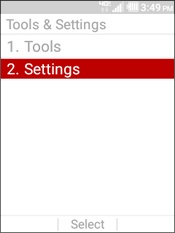
- SelectSettings.
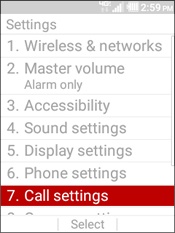
- SelectCall settings.
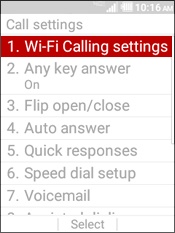
- SelectWi-Fi Calling settings.
- SelectWi-Fi Calling.
- Highlight then select an option (On or Off) then selectSet:If turning off, read the Wi-Fi Calling disclaimer then selectTurn off Wi-Fi Callingto continue.If activating Wi-Fi Calling for the first time:
- SelectActivate Wi-Fi Calling.
- Review the Terms & Conditions then tapCONTINUEto proceed.Ensure the Terms & Conditions option is checked
.
- Enter the emergency location info (E911) address then tapSAVE.This info gets transmitted to the emergency dispatcher for all 911 Wi-Fi calls. If address validation fails, you'll be required to re-enter a valid address.Upon successful validation of the address, Wi-Fi Calling turns on.