Kyocera DuraXV LTE - Turn Bluetooth® On / Off
Here's how to turn the Bluetooth on or off on your DuraXV LTE and make it visible to other devices for pairing.
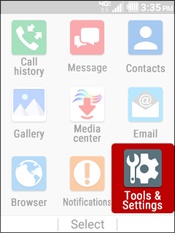
- From the main screen, selectMenu.Utilize the 5-way navigation pad to highlight and the center button to select.
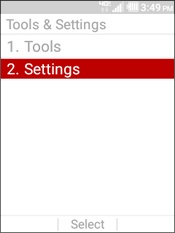
- SelectTools & Settings.
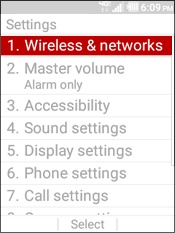
- SelectSettings.
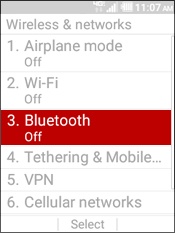
- SelectWireless & Networks.
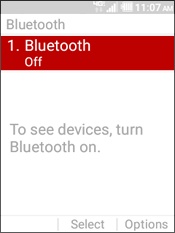
- SelectBluetooth.
- SelectBluetoothagain.
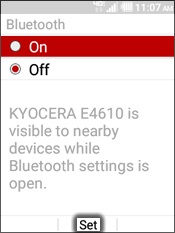
- Highlight an option then selectSet.Your device is visible to other devices as long as the Bluetooth settings screen is open and Bluetooth is turned on.
- On
- Off