Session status messages
Session Status

Due to inactivity, your session will end in approximately 2 minutes. Extend your session by clicking OK below.

Due to inactivity, your session has expired. Please sign in again to continue.

Kyocera DuraXV LTE - Take and Send a Picture via Messaging

2026-10-22 17:06:18.925

Kyocera DuraXV LTE - Take and Send a Picture via Messaging

Here's how to take and send a picture message on your DuraXV LTE.
  1. From the main screen, select
    Menu
    .
    Utilize the 5-way navigation pad to highlight and the center button to select.
    5-way Navigation Pad
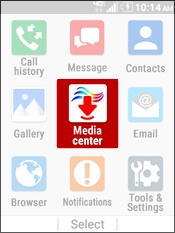
  2. Select
    Media Center
    .
    Select Media Center
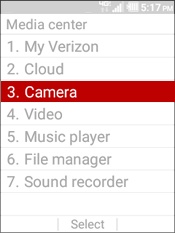
  3. Select
    Camera
    .
    Select Camera
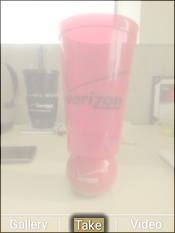
  4. Select
    Take
    to capture a picture.
    Select Take
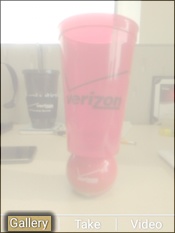
  5. Press the
    left soft key
    to choose Gallery.
    Select Gallery
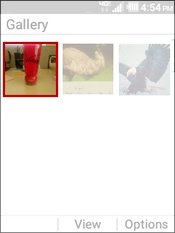
  6. Navigate to then highlight the appropriate picture.
    Select a Picture
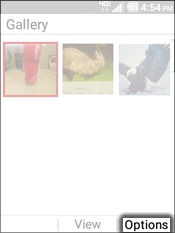
  7. Press the
    right soft key
    to choose Options.
    Select Options
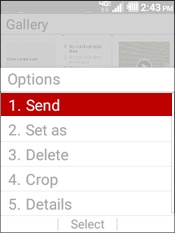
  8. Select
    Send
    .
    Select Send
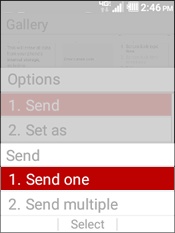
  9. Select
    Send one
    .
    Select Send One
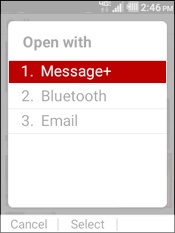
  10. Select
    Message+
    .
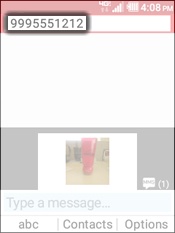
  11. Enter a 10-digit mobile number(s).
    Enter a 10-digit Mobile Number
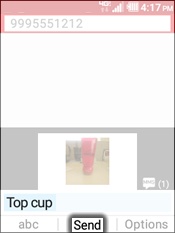
  12. Enter the message then select
    Send
    .
    Select Send