Session status messages
Session Status

Due to inactivity, your session will end in approximately 2 minutes. Extend your session by clicking OK below.

Due to inactivity, your session has expired. Please sign in again to continue.

Kyocera DuraXV LTE - Network Mode Settings

2026-10-22 18:10:30.692

Kyocera DuraXV LTE - Network Mode Settings

Use this info to view this info DuraXV LTE regarding network mode settings if you're having issues with calls, messages or data services.
  1. From the main screen, select
    Menu
    .
    Utilize the 5-way navigation pad to highlight and the center button to select.
    5-way Navigation Pad
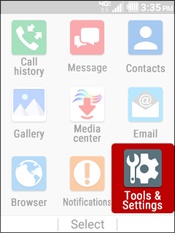
  2. Select
    Tools & Settings
    .
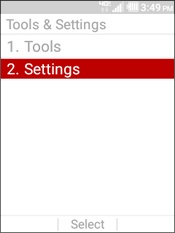
  3. Select
    Settings
    .
    Select Settings
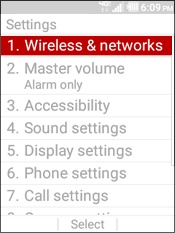
  4. Select
    Wireless & networks
    .
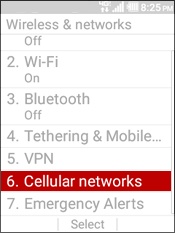
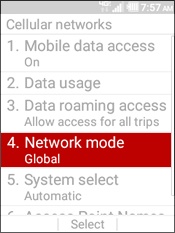
  5. Select
    Cellular Networks
    .
    Select Cellular Network
  6. Select
    Network mode
    .
    Select Network Mode
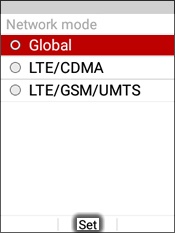
  7. Highlight an option the select
    Set
    .
    • Global
    • LTE/CDMA
    • LTE/GSM/UMTS
    Select Set