Session status messages
Session Status

Due to inactivity, your session will end in approximately 2 minutes. Extend your session by clicking OK below.

Due to inactivity, your session has expired. Please sign in again to continue.

Kyocera DuraXV LTE - Turn Data On / Off

2026-10-22 17:08:03.134

Kyocera DuraXV LTE - Turn Data On / Off

Here's how to turn off the data on your DuraXV LTE.
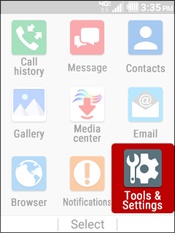
  1. From the main screen, select
    Menu
    .
    Utilize the 5-way navigation pad to highlight and the center button to select.
    5-way Navigation Pad
  2. Select
    Tools & Settings
    .
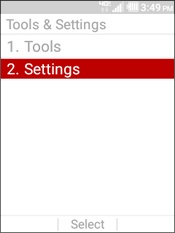
  3. Select
    Settings
    .
    Select Settings
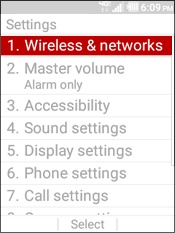
  4. Select
    Wireless & networks
    .
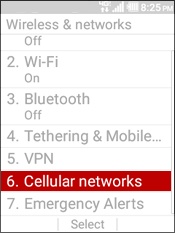
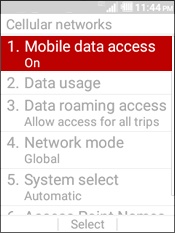
  5. Select
    Cellular Networks
    .
    Select Cellular Network
  6. Select
    Mobile data access
    .
    Select Mobile Data Access
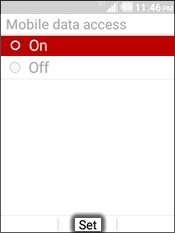
  7. Highlight an option then select
    Set
    :
    • On
    • Off
      • Read the info about using Wi-Fi then press the
        left soft key
        to select Yes.
    Select Set