Kyocera DuraXV LTE - Delete Paired Bluetooth Connection
Here's how to unpair your Bluetooth from your DuraXV LTE.
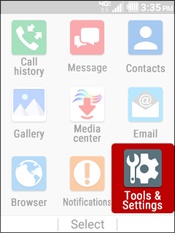
- From the main screen, selectMenu.Utilize the 5-way navigation pad to highlight and the center button to select.
- SelectTools & Settings.
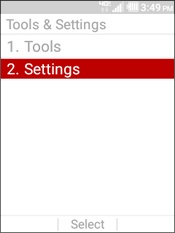
- SelectSettings.
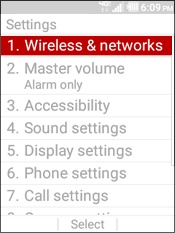
- SelectWireless & networks.
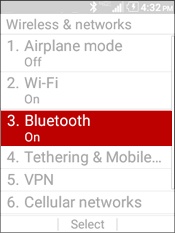
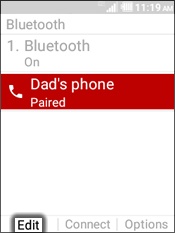
- SelectBluetooth.To see paired devices Bluetooth must be turned on.
- Select the 'paired device' to remove then press theleft soft keyto choose Edit.
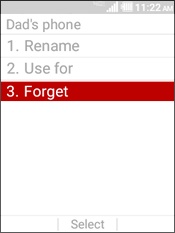
- SelectForget.