Kyocera DuraXV LTE - Block / Unblock Numbers
Here's how to send unwanted calls directly to voicemail for your DuraXV LTE.
Calls from contacts or phone numbers added to the reject list are automatically ignored and the call is forwarded to voicemail.
Add Block
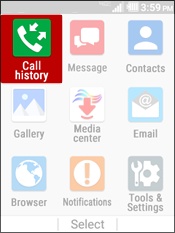
- From the main screen, selectMenu.Use the 5-way navigation pad to highlight and the center button to select.
- SelectCall history.
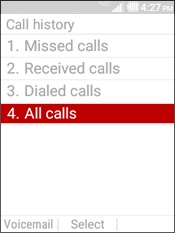
- SelectAll calls.
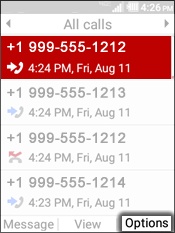
- Highlight a phone number then press theright soft keyto choose Options.
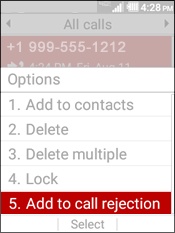
- SelectAdd to call rejection.
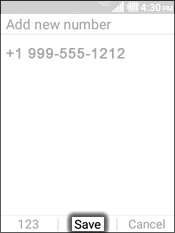
- SelectSaveto block all calls from this number.
Remove Block
- From the main screen, selectMenu.Use the 5-way navigation pad to highlight and the center button to select.
- Navigate:Tools and Settings>Settings>Call Settings>Call rejection.
- Highlight the contact(s) to remove then press theleft soft keyto choose Remove.
- To confirm, press theleft soft keyto choose Yes.