Place a Visual Voicemail Callback - Google Pixel Phones
Here's how to place a callback via Visual Voicemail on your Pixel.
Visual Voicemail isn't available for Prepaid service.
- From a Home screen tapPhone
.
If unavailable, touch and swipe up to display all apps, then tapPhone. - TapVoicemail(lower-right).
- If prompted, tapTurn on.
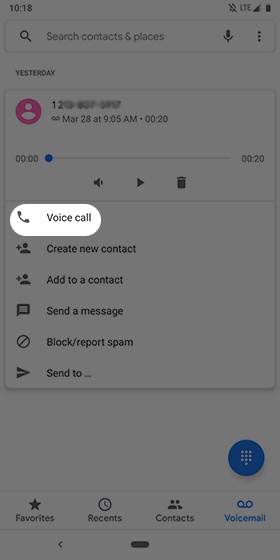
- From the Visual Voicemail inbox, tap a message.
- TapVoice Call.