Apple iPhone - Turn iCloud Backup On / Off
Here's how to turn the iCloud Backup option for your iPhone on or off.
iCloud® requirements:
- Apple® iPhone® with iOS 5 or later
- Mac® computer with OS X Lion or later
- PC with Windows Media® or later
- Outlook® 2007 or later
- From a Home screen, tapSettings
.
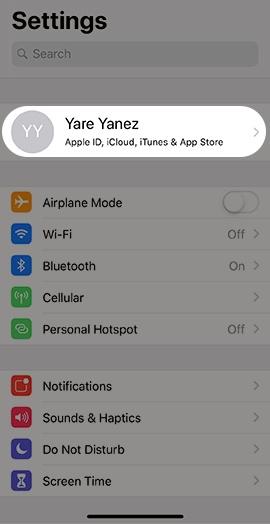
If unavailable, swipe left to access the App Library. - Tap theApple profileat the top of the Settings menu.
- TapiCloud.If prompted, enter the Apple ID and password then tapSign In.
- TapiCloud Backup.
- Tap theBack Up This iPhone switchto turn on
or off
.
If unavailable, tap theiCloud Backup switchto turn on or off. - If prompted, tapOK.
- Some features / services require a Wi-Fi connection, aren't available in all countries and access is limited to 10 devices.
- For additional info, refer to Manage your iCloud storage.