Session status messages
Session Status

Due to inactivity, your session will end in approximately 2 minutes. Extend your session by clicking OK below.

Due to inactivity, your session has expired. Please sign in again to continue.

Apple iPhone - Turn Wi-Fi On / Off

2026-10-22 16:05:43.042

Apple iPhone - Turn Wi-Fi On / Off

Here's how to turn Wi-Fi for your iPhone on or off.
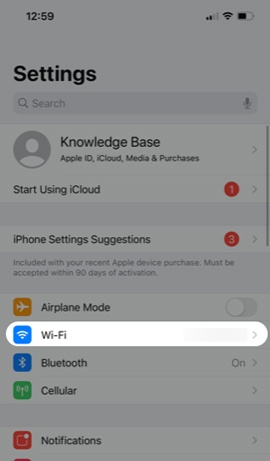
  1. From a Home screen on your Apple® iPhone®, navigate:
    Settings Settings icon
    Wi-Fi
    .
    If unavailable, swipe left to access the App Library.
    Tap Wi-Fi
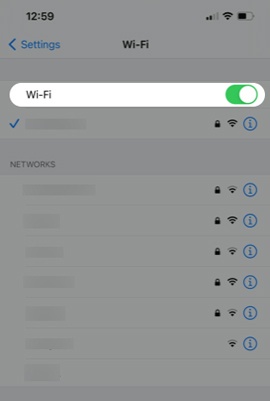
  2. Tap the
    Wi-Fi switch
    to turn on Switch On or off Switch Off.
    Select Wi-Fi
For more info on connecting your iPhone to Wi-Fi networks, view this support page.