Apple iPhone - Set Up Family Sharing
Here's how to use your iPhone to set up your iCloud account so you can share content with family members.
- Family Sharing allows up to 6 people in your family to share each other's iCloud® content purchases without sharing accounts.
- For info on Family Sharing and Kids, refer to Family Sharing and Apple IDs for Kids.
- From the Home screen, tapSettings
.
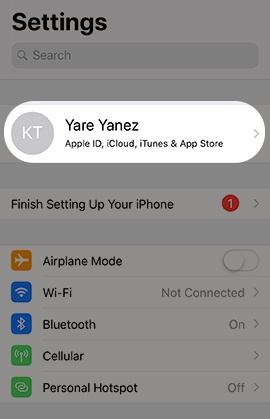
If an app isn't available on your Home screen, swipe left to access the App Library. - Tap yourApple profileat the top of the Settings menu.If prompted, enter your Apple ID and Password then tapSign In.
- TapFamily Sharing.
- TapSet Up Your Family.
- From the Invite Your Family screen, select one of the following:Based on your choice, follow the on-screen instructions to complete the setup.
- Invite People
- Create an Account for a Child
- From the GET STARTED section, select from the following to start customizing sharing options with your Family:
- Apple Subscriptions
- Apple Music
- Apple TV+
- Apple Arcade
- Apple News
- Location Sharing
- Purchase Sharing
- iCloud Storage
- Ask to Buy
- Screen Time