One Talk Mobile App / Android Native Dialer - Place a Video Call
Here's how to place a video call from your One Talk phone.
Follow these instructions to place a video call from the One Talk mobile app or the native dialer on your Android™ phone.
- For billing purposes, Wi-Fi calls always originate in the US, even when you're outside of the US.
- Calls to US numbers are not billed (except for 411 or other premium calls).
- Calls to international numbers are billed according to your international long distance plan.
- No data charges apply for video calls over Wi-Fi.
- Click here for a list of supported devices.
Call from Enhanced Dialer or Mobile App
- Open the One Talk app or the Enhanced Dialer.
- Tap theKeypad icon
.
- From the Keypad tab, enter the desired 10-digit number.Do not prefix the dialed number with a '9' as is currently required with a traditional PBX (Private Branch Exchange) system. If a '9' is accidentally added, the call fails and the caller receives an error recording.
- Tap thePhone icon
.
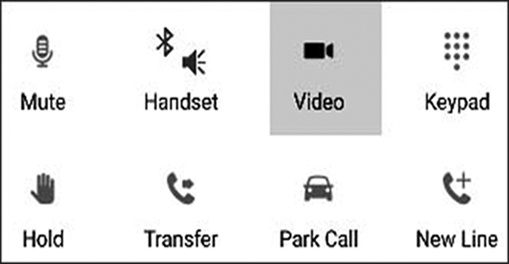
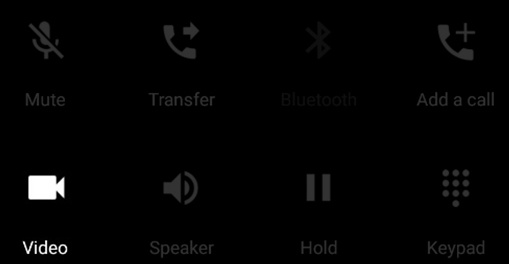
- While on active call, tapVideo.
- Samsung Galaxy S6 / S7:
- Samsung Galaxy S9 / S9+ / S10e / S10 / S10+ / S10 5G:
- To disconnect the call, tap theEnd icon
in the call functions.
Video calling isn't available via the One Talk app in call-through mode.
Call from Android Native Dialer
- Tap thePhone icon
- From the Keypad tab, enter the desired 10-digit number.Do not prefix the dialed number with a '9' as is currently required with a traditional PBX (Private Branch Exchange) system. If a '9' is accidentally added, the call fails and the caller receives an error recording.
- Tap thePhone icon.
- While on active call, tapVideo Call.
- To disconnect the call, tap theEnd icon