One Talk Mobile App - Place a Conference Call
Here's how to place a conference call via the One Talk mobile app.
- For billing purposes, Wi-Fi calls always originate in the U.S., even when you're outside of the U.S.
- Calls to U.S. numbers are not billed (except for 411 or other premium calls).
- Calls to international numbers are billed according to your international long distance plan.
- One Talk conferencing isn't supported in call-through mode.
Follow the steps below to make a Conference call from your:
- Mobile App
- Enhanced Dialer
- iOS or Android™ Native Dialer
Mobile App
Click here for a list of supported devices.
- Open the One Talk app.
- Tap theKeypad icon
.
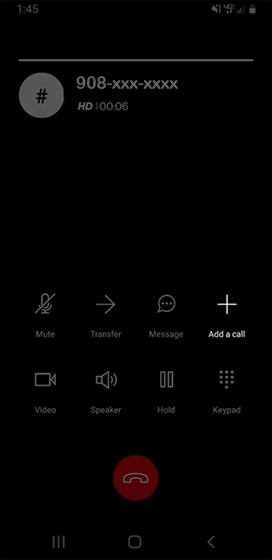
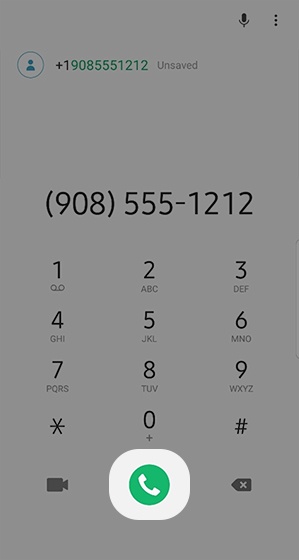
- From the Keypad tab, enter the desired 10-digit number then tap thePhone icon.
- After the call connects, tapAdd a call.
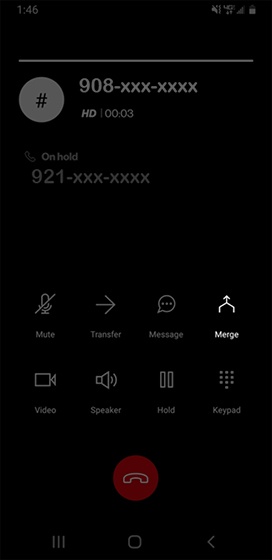
- Enter a 10-digit number or extension then tap theCall icon
to dial the party you're adding.
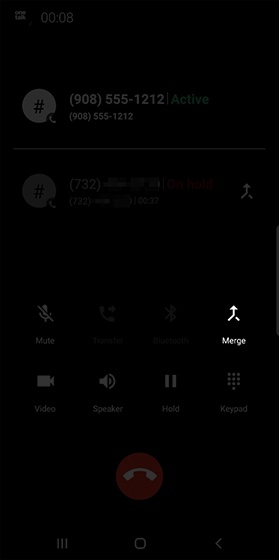
- When the next party answers, tapMergewhen you're ready to add to the conference.
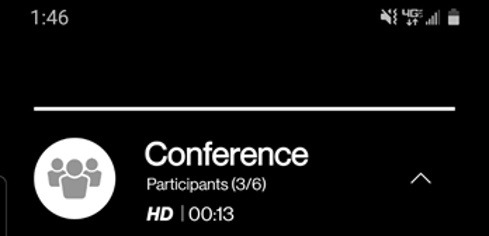
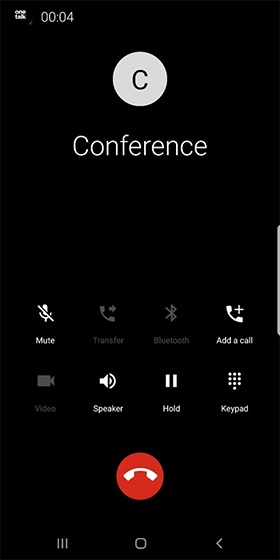
- Repeat steps 4-6 to add more participants (up to 6 total participants).When the call screen shows "Conference", all calls are connected.
- To disconnect the call, tap theEnd icon
.

Enhanced Dialer
Click here for a list of supported devices.
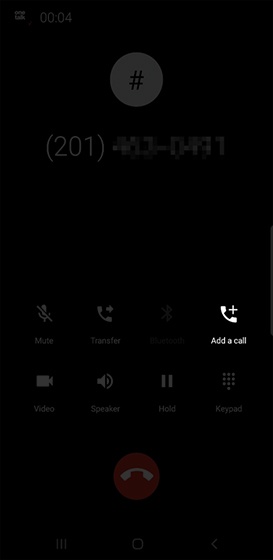
- While on an active call, tapAdd a call.
- Enter the desired number to call then tap thePhone iconto place the call.
- TapMergeto create a conference call.
- Repeat steps 2-3 to add more participants (up to 6 total participants).When the call screen shows "Conference", all calls are connected.
iOS or Android Native Dialer
- While on a call, tapAdd Call.
- Enter the appropriate 10-digit number to call.
- Tap thePhone iconto place the call.
- TapMergeto establish a conference.