Windows 10 - Unblock SIM PIN
If your SIM PIN for your Windows 10 device is blocked, here's how to unblock it.
The PIN Unblocking Key (PUK) is utilized to reset a blocked SIM card.
- For Postpaid accounts, you must obtain the PUK via the Verizon website before proceeding.
- For Prepaid accounts, contact customer service to obtain the PUK before proceeding.
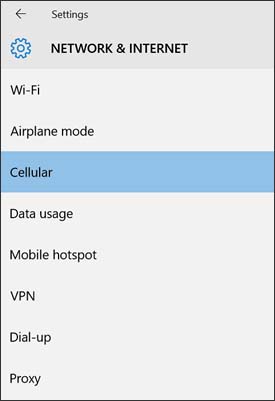
- From the Windows desktop, navigate:.StartSettings iconNetwork & InternetUtilize the touchscreen (if available) or mouse to select the on-screen options.
- From the left-pane, selectCellular.
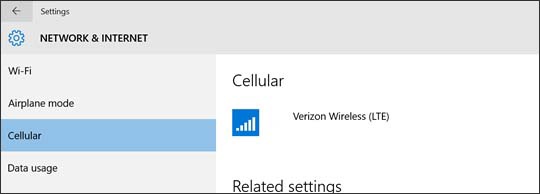
- From the Cellular section, selectVerizon Wireless (LTE).
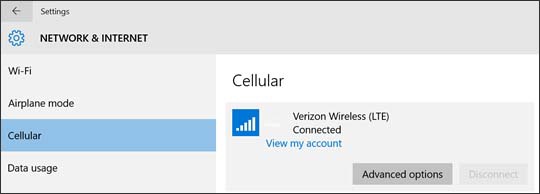
- SelectAdvanced options.
- From the 'Security' section, selectUnblock PIN(may require scrolling to the bottom).
- From the 'Unblock your PIN' screen, enter the appropriate information into the following fields:If an invalid PUK is entered too many times, the SIM card may be permanently disabled.
- PUK
- Enter new PIN
- Confirm new PIN
- SelectOK.