Windows 10 - Check Device Storage
Here's how to view free up space if your Windows 10 device runs slow or crashes and/or apps freeze when running them.
If your device isn't running Windows® 10, refer to the Windows 8 instructions.
- From the Windows desktop, navigate:.StartSettings iconSystemUtilize the touchscreen (if available) or mouse to select on-screen options.
- From the left-pane, selectStorage.
- From above the apps list, select 'This PC' or 'Secure Digital storage device'.
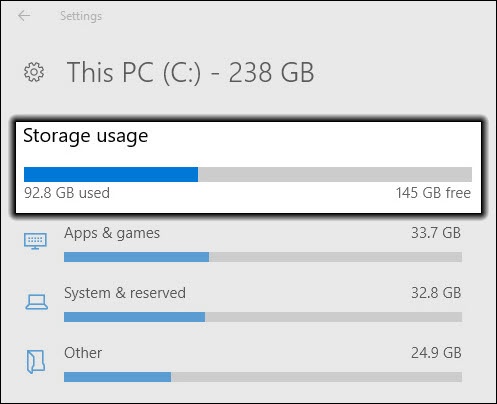
- From the Storage Usage section, view the free space (e.g., 145 GB free).