One Talk Portal - Create New Schedule
Here's how to define your business schedule via the One Talk portal.
Refer to the One Talk admin portal simulator for interactive demonstrations.
- Any hours not included in the business schedule default to the configuration for after hours.
- Holiday schedules can only be created in all day increments and take effect for the entire day(s) scheduled.
- Sign in to My Business.
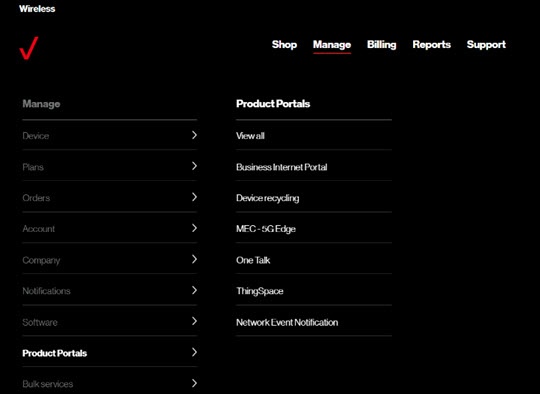
- ClickManage(top of screen).
- Mouse overProduct Portalsthen clickOne Talk.If necessary, clickView all.
- From the 'I want to' section, clickManage schedules.
- From the 'Manage Schedules' page, clickCreate Schedule.
- To update a schedule, follow the on-screen instructions to complete the desired transaction then clickSubmit.Schedules must be created for the hours you wish the call routing to follow (e.g., route calls via Selective Call Forward from 6 pm to 8 am, etc.).