Windows 10 - View SIM Card Number
Here's how to view the number for the SIM card associated with your Windows 10 device.
If your device isn't running Windows® 10, refer to the Windows 8 instructions.
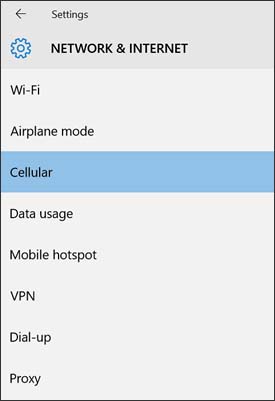
- From the Windows desktop, navigate:.StartSettings icon
- From the left-pane, selectCellular.
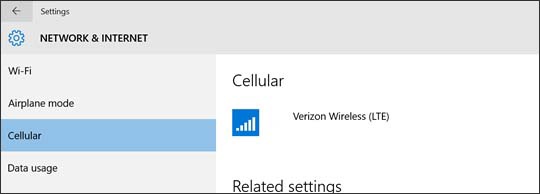
- From the Cellular section, if necessary, selectVerizon Wireless (LTE).
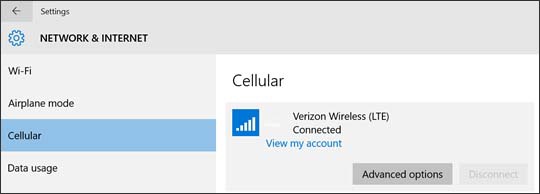
- SelectAdvanced options.
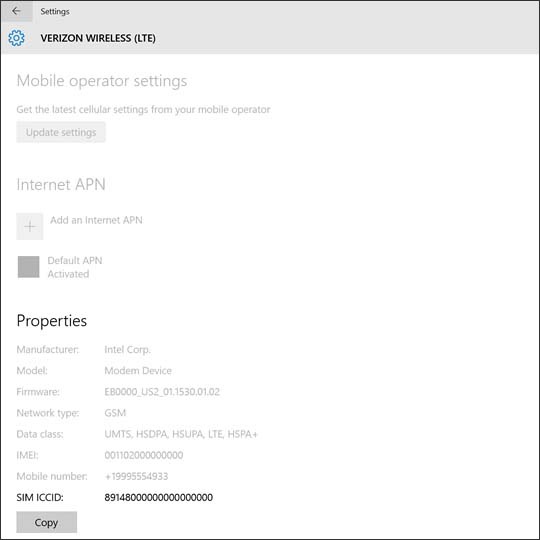
- From the Properties section, view the SIM ICCID.

You can also remove the SIM card and view the 20-digit SIM card number (with the gold contacts facing away). 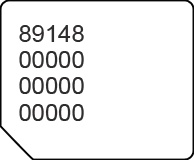
Not available on all Windows 10 devices.