Wi-Fi Calling - Apple iPhone - Determine Wi-Fi Call
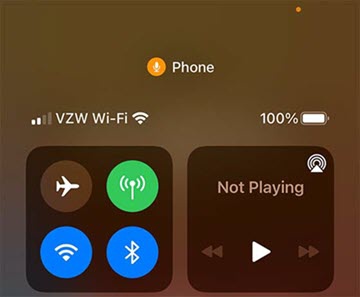
Here's how to determine if an active phone call is being transmitted on your iPhone via Wi-Fi Calling.
When turned on, Wi-Fi Calling may improve call quality while indoors on your Apple® iPhone®.
- Ensure Wi-Fi Calling is activated.
- When Wi-Fi Calling is available, 'Wi-Fi' displays next to VZW in the status bar then all your calls go through Wi-Fi.If the Wi-Fi connection is lost when you make you make calls, calls switch automatically to the cellular network using VoLTE then switch back when a Wi-Fi connection becomes available.
- Wi-Fi calls always originate in the US, even when you're outside of the US.
- Calls to US numbers aren't billed (except for 411 or other premium calls).
- Calls to international numbers are billed according to your international long distance plan.A whisper tone, which can't be turned off, advises of potential charges before the call connects; ending the call before it's connected prevents costs.
- Emergency calls on your iPhone are routed through cellular service when available.
For additional info, check out these Wi-Fi Calling FAQs.