Apple Watch - Install Apps
Here's how to add apps to your Apple Watch.
The steps below apply to the Apple Watch® Series 3 and newer models.
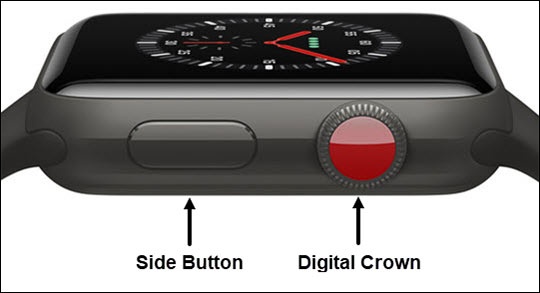
- From the Watch face screen, press theDigital Crownto access the Apps screen.
- Tap theApp Store icon.To install a specific app, tapSearchthen enter and select the app name.
- Tap the desired app to install.If there is a charge for the app, tap the price (e.g., $1.99); if free, tapGET.
- Double tap theSide Buttonthen enter your passcode.
- If prompted, tapEnter Passwordthen follow the on-screen instructions to enter your password.