Wi-Fi Calling - Android™ - Turn Roaming On / Off
Here's how to turn roaming for Wi-Fi Calling on or off for Android smartphones.
When turned on, Wi-Fi Calling may improve call quality while indoors.
Wi-Fi calls always originate in the US, even when you're outside of the US.
- Calls to US numbers are not billed (except for 411 or other premium calls).
- Calls to international numbers are billed according to your international long distance plan.
- From the Home screen, navigate: .If unavailable, navigate: .For Oreo OS, navigate: .For Samsung devices, navigate: .For Samsung devices with Pie OS, navigate: .
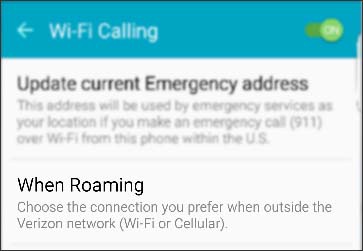
- TapWi-Fi Calling.Ensure the Wi-Fi Calling switch is on.
- TapWhen Roaming.For Oreo OS, tapRoaming Preferencethen choose Wi-Fi or Mobile and begin using your choice.For Pie OS, tapRoaming network preferencethen choose Wi-Fi or Mobile network and begin using your choice.
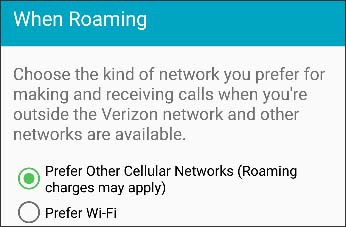
- Tap one of the following available options:
- Prefer Other Cellular Networks (Roaming changes may apply)
- Prefer Wi-Fi
- TapSave.