Session status messages
Session Status

Due to inactivity, your session will end in approximately 2 minutes. Extend your session by clicking OK below.

Due to inactivity, your session has expired. Please sign in again to continue.

Wi-Fi Calling - Android ™ - Change Emergency Address

2026-10-22 14:57:01.842

Wi-Fi Calling - Android™ - Change Emergency Address

Here's how to change the emergency calling address for Wi-Fi Calling on an Android smartphone.
When turned on, Wi-Fi Calling may improve call quality while indoors.
  1. From the Home screen, navigate:
    Apps icon
    Settings
    Advanced Calling
    .
    If unavailable, navigate:
    Apps icon
    Settings
    More
    Advanced Calling
    .
    For Oreo OS, navigate:
    Apps icon
    Settings
    Network & Internet
    Mobile network
    Advanced
    Advanced Calling
    .
    For Samsung devices, navigate:
    Apps
    Settings
    Connections
    .
    For Samsung devices with Pie OS, navigate:
    Phone icon
    Menu icon
    Settings
    .
  2. Tap
    Wi-Fi Calling
    .
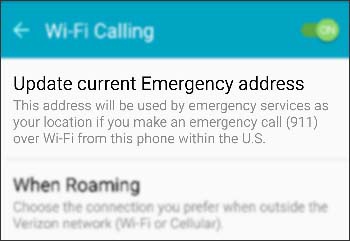
  3. Tap
    Update Current Emergency Address
    .
    Tap Update Emergency Address
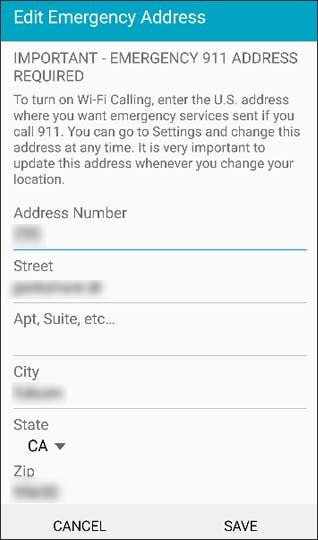
  4. Edit the address if needed then tap
    SAVE
    .
    This info gets transmitted to the emergency dispatcher for all 911 calls made over a Wi-Fi network. If address validation fails you are prompted to enter a new address until a valid address is entered.
    Enter emergency address