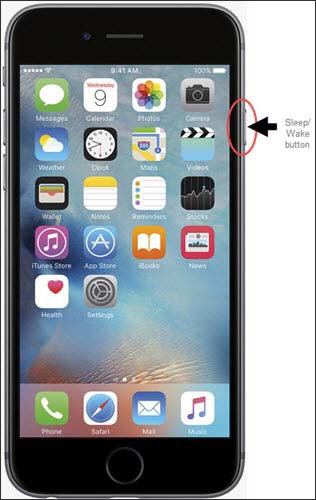
Apple® iPhone® 6 / 6 Plus - Turn the Device On / Off
View this info to learn how to turn your iPhone 6 or 6 Plus on or off.
- Press and hold theSleep/Wake buttonon the right side of the device.
- When the "slide to power off" icon appears along the top, slide it toward the right edge of the screen to power off.