Windows 10 - Create or End Internet Connection
Here's how to create or end an internet connection on your Windows 10 device.
If your device isn't running Windows® 10, refer to the Windows 11 instructions.
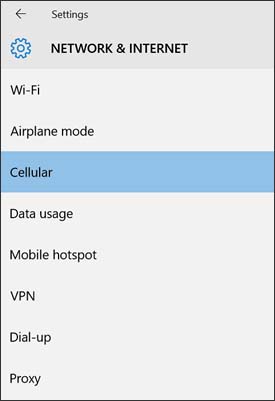
- From the Windows desktop, navigate:.StartSettings iconNetwork & InternetUtilize the touchscreen (if available) or mouse to select the on-screen options.
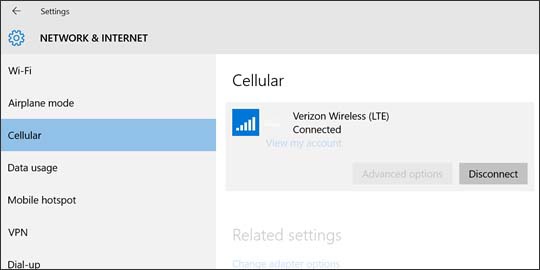
- From the left-pane, selectCellular.
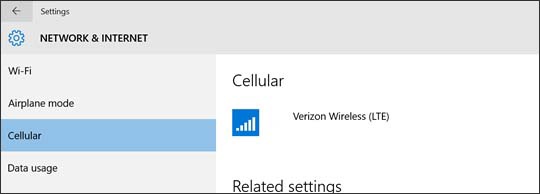
- From the Cellular section (located on the right), selectVerizon Wireless (LTE).
- Do one of the following:
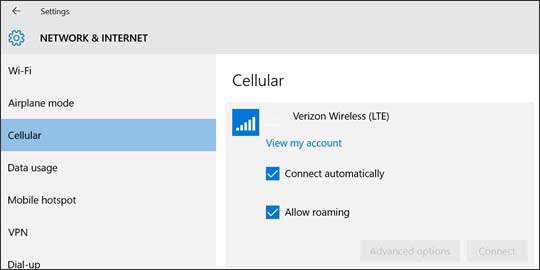
- To establish a connection:
- Select (check or uncheck) any of the following:
- Connect automatically
- Allow roamingEnabling data roaming may incur roaming charges.
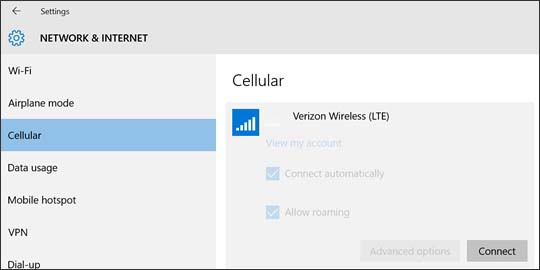
- SelectConnect.
- To terminate a connection, selectDisconnect.