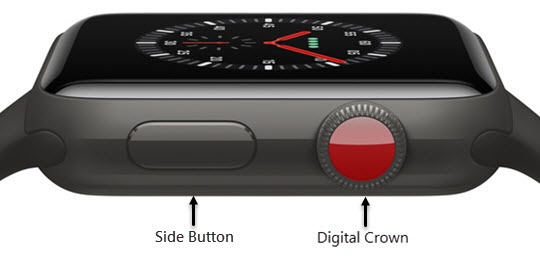
Apple Watch - Restart Device
Here's how to restart your Apple Watch if it crashes and resets, freezes or runs slowly.
- The steps below apply to the Apple Watch® Series 3 and newer models.
- For additional help, refer to Apple Watch Support
Restart Apple Watch
- Press and hold theSide buttonuntil the sliders appear.
- Tap thePower Off icon
(upper-right) then drag the
Power Off sliderto the right.If your Apple Watch is connected to a charger, you won't be able to use the slider to power off; remove from the charger to power down. - Once the Watch is turned off, hold down theSide buttonuntil the Apple logo appears.
Force Apple Watch to Restart
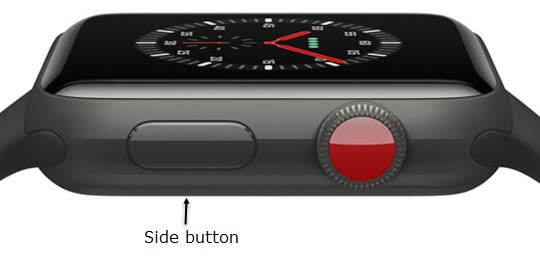
If the Apple Watch won't turn off or if the problem continues, you may need to force the Apple Watch to restart. Do this only if you're unable to restart your Apple Watch.
- Hold down theSide buttonand theDigital Crownat the same time (for at least 10 seconds) until the Apple logo appears.