Apple iPad - Capture a Screenshot
Here's how to capture a screenshot using your iPad.
Select one of the following then follow the instructions:
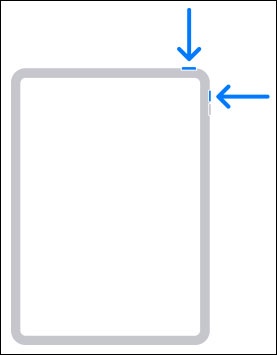
Apple iPad without a Home button
- To capture a screenshot, press theSide (sleep / wake / power) buttonand theVolume Up buttonat the same time.To view the screenshot you've taken, tapPhotosfrom a Home screen then tap the image.
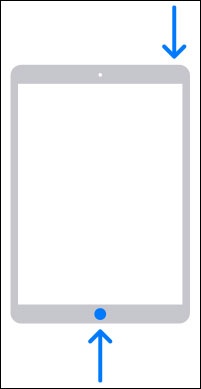
Apple iPad with a Home button
- To capture a screenshot, press thePower buttonand theHome buttonat the same time.To view the screenshot you've taken, tapPhotosfrom a Home screen then tap the image.