Remove Ransomware From the Device - Android™
Here's how to remove ransomware from your device.
Need to know info:
- Ransomware is a type of malware software designed to extort money from someone by locking up their device and personal data files.
- The device owner is then required to pay a "ransom" to possibly get the device unlocked and restore access to the personal data files.
Choose the appropriate scenario.
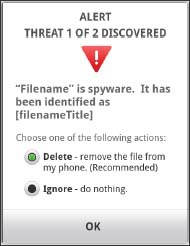
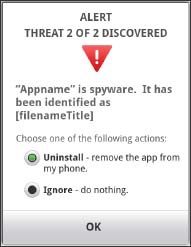
Ransomware Detected by Verizon Support & Protection
- If prompted, select Delete/Uninstall then tapOK.Selected when a green circle is present.
Ransomware can't be Removed by Verizon Support & Protection
- From the Home screen, navigate: .
- Tap Security / Security & Screen Lock.
- TapDevice Administrator.
- Tap the App to be removed.The app is active when a checkmark is present.
- TapDeactivate.
- If prompted, tapOK.
- Use device-specific instructions to remove the app from the device or from the messaging app.
Device is Locked by Ransomware
- Use device-specific instructions to place the device in Safe Mode.
- From the Home screen, navigate: .
- Tap Apps / App Manager / Manage Apps.
- Tap the app to be removed.
- TapUninstall.
- TapOK.
- Press thePower buttonto restart the device.